Broadcast Network: From Unified Playback to Ordered Backhaul
Plan unified bell ringing, notifications, listening playback, and zone scheduling; classroom nodes with uplink channels can return voice after authorization.
Learn More
Digital wireless audio · connecting smart spaces
Two-Way Smart Campus Broadcasting · Solution Planning
Traditional campus broadcasting is a one-way transmission of "I speak, you listen." SOYO Technology has upgraded broadcast terminals into two-way intelligent nodes—every classroom can both receive broadcasts and speak proactively; each classroom node has built-in local wireless amplification, supports online meetings for any group across the entire school, cross-campus cloud interconnection, and provides value-added capabilities such as bilingual teaching, oral training, classroom analysis, and meeting minutes through AI large models.
Solution planning showcase · Capabilities are subject to official models, deployment, and testing
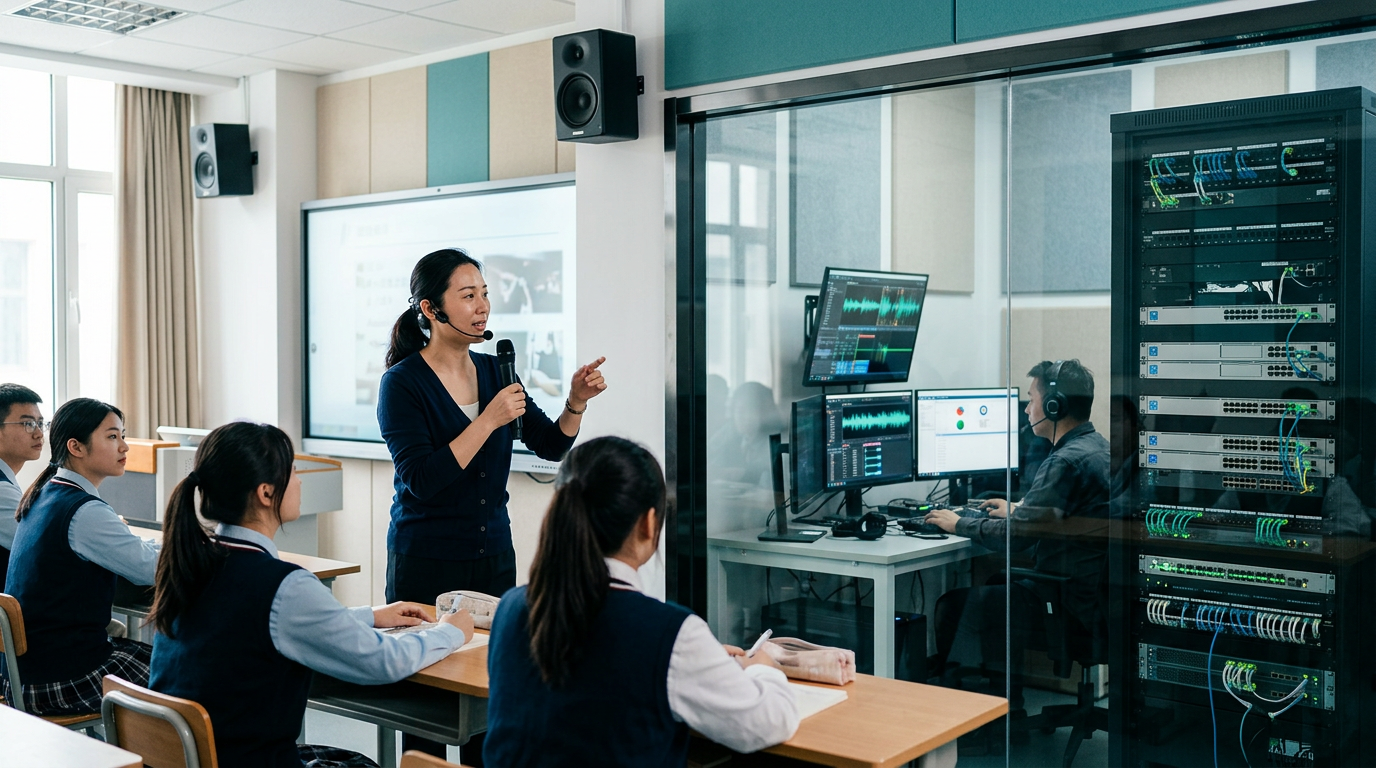
Following the TP-D product family: platform, network, wireless, classroom conferencing, and AI applications. Each series is combined according to specific tasks, rather than each accessory independently implementing all capabilities.
Plan the control layer for campus broadcasting and collaboration, which respectively handles broadcast management, conference scheduling, AI computing, and mobile access. The platform and conference services can share an adapted node list, and the actual functionality depends on licensing, interfaces, and deployment configuration.
View Series → TP-DNCovers campus IP broadcasting, audio source access, zoning, monitoring, and system linkage. Two-way capabilities are determined by the terminal and optional modules; controllers, interface units, collectors, and decoders each have their own responsibilities, and no series name promises that every device can return audio or join a session independently.
View Series → TP-DWBuilding on classroom wireless amplification, the plan is to integrate network broadcasting and uplink capabilities into compatible nodes such as the TP-DW01 and TP-DW02. Microphones, sound pickups, relays, and charging and storage devices provide supporting functions; not every accessory is a complete broadcasting or conferencing node.
View Series → TP-DCPlan meeting audio pickup, sound reinforcement, codec, and optional video capabilities for classrooms and teaching and research offices. When conditions permit, reuse the campus network and already adapted audio devices; peripherals such as cameras, tablets, and array microphones still require a conference host and interface support, and TP-CTS is subject to separate compatibility verification.
View Series → TP-DAPlan teaching-assistant applications around translation, spoken-language training, meeting minutes, classroom analysis, and interactive Q&A, on the premise of clearly defined tasks and lawful authorization. Model outputs must be manually verified, and fully local or cloud deployments must separately specify the data paths for audio, text, logs, and backups.
View Series →What is integrated is device management and business processes, not the elimination of network isolation, nor the replacement of an entire system with a single accessory.
Plan unified bell ringing, notifications, listening playback, and zone scheduling; classroom nodes with uplink channels can return voice after authorization.
Learn MoreThe classroom uses TP-DW01 or TP-DW02 with a matching microphone, designed to simultaneously support network broadcasting and local wireless amplification. Offline amplification must be verified under the conditions of normal power supply and completed pairing.
Learn MoreUse TP-DS04 to schedule adapted nodes, allowing grade groups, subject groups, and teaching and research offices to join meetings according to permissions; cross-campus scenarios are bridged with the assistance of TP-DS02.
Learn MoreUse TP-DS05 and TP-DA06 to plan recognition, translation, synthesis, and large model interfaces. Schools can choose a fully local, cloud-based, or hybrid path, and should confirm the data flow before enabling it.
Learn MoreBroadcast is delivered down to classrooms; teachers speaking proactively or authorized pickup front ends transmit upstream to the platform. Whether upstream capability is available must be verified against the specific node and cannot be inferred from the name "network speaker".
The conference scheduling service organizes mixing, distribution, and speaking control. Through room acoustic calibration and echo cancellation testing, two-way communication is verified, without equating paging intercom with multi-party conferencing.
Authorized voice enters the recognition, retrieval, and generation processes, and the AI results are returned as text or speech. Teachers retain the right to review, correct errors, and stop the interaction.
Match classroom nodes with microphones to reduce equipment switching for teachers using handheld mics during instruction; wireless coexistence testing is required for multiple classrooms on the same floor.
On-demand activation of calls, intercom, and remote class listening, with collection status prompts and a close option provided, and normal-state monitoring is not a prerequisite for operation.
Organize meetings by class, grade, and subject, and verify speaking permissions, scheduling priorities, and concurrent load.
Connect to the campus when network, authorization, and access policies permit; when the cloud is unreachable, operate according to the verified local contingency plan.
Centrally manage model versions, access permissions, and data processing paths, and avoid equating API integration with fully local operation.
Plan bilingual teaching, oral practice, meeting minutes, classroom analysis, and AI interaction; assessment and generated content are teacher-assistance materials.
Learn MoreThe following are selection combinations, not committed delivered performance; power supply, accessories, software, and engineering quantities must be separately verified.
TP-DW01 + TP-DW04, with TP-DW03 audio pickup and TP-DW08 storage added as needed. First verify daily broadcasting and local amplification, then enable uplink and conferencing according to authorization.
Learn MoreTP-DW02 paired with load-matched professional speakers, TP-DW04 or TP-DW05; add TP-DW07 only when survey requires it, to verify coverage, feedback, and reverberation.
Learn MoreTP-DS01 and TP-DS06 manage devices, TP-DS04 schedules conferences, and TP-DC01 builds venues; select other nodes according to specific access capabilities, and add TP-DS02 for cross-campus scenarios.
Learn MoreIn authorized teaching and research or oral training scenarios, configure the TP-DS05, TP-DA06, and the required applications; first verify the sample results, data flow, and manual review process before deciding on expansion.
Learn MoreTell us the number of classrooms, network conditions, and usage scenarios, and let's determine the right broadcast, conferencing, and AI configuration together.
Content maintenance:SOYO Technology Development Co., Ltd. · Update:
Product line solution planning | Functions, specifications, and compatibility are subject to official models, actual configurations, and testing. AI applications must implement data authorization and human review according to the deployment method; images are for reference only to the appearance of existing products.
Page views: 3450